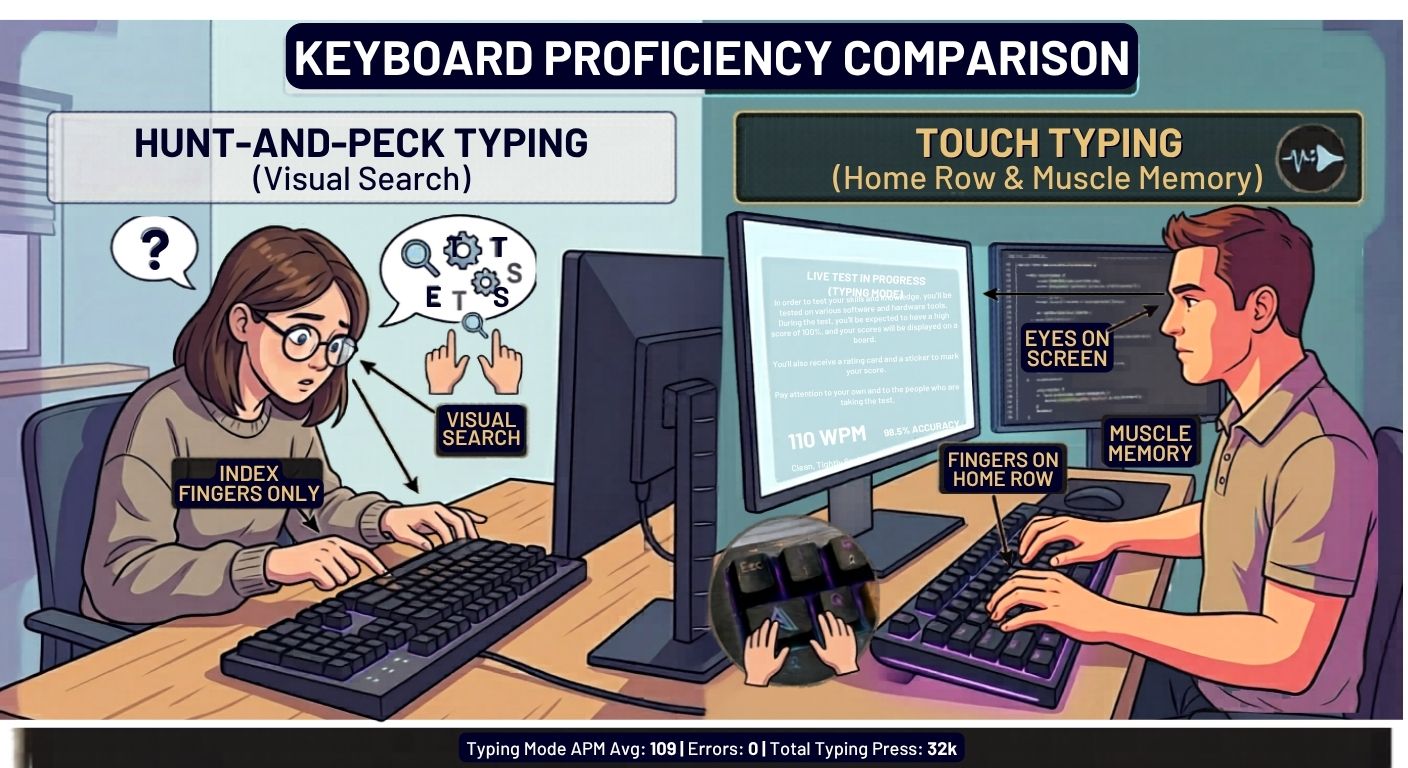
You’ve seen them. Those people who type without ever looking down. Their fingers dance across the keyboard, eyes locked on the screen, and words just… appear.
Meanwhile, you’re still hunting and pecking. Glancing down. Back up. Down again. Your neck hurts. Emails take forever.
You want to learn touch typing and want to know that whats touch typing. But you’ve got one honest question:
“How long is this actually going to take?”
Not the motivational‑speaker answer. Not “it depends” without any real numbers. A real answer.
I’ll give you that in a minute. But first, let me tell you what almost every beginner gets wrong – because that mistake alone triples your learning time.
The Mistake That Wastes Months of Your Life
Most people start touch typing by doing drills. “ASDF JKL;” over and over. They grind for two weeks, see zero improvement, and quit.
Here’s the problem: drills don’t stick because they’re boring.
Your brain learns fastest when you’re slightly stressed and engaged. That’s why gamers pick up typing faster than office workers. There’s a timer. A score. Someone to beat.
So before we talk timelines, promise yourself this: you’ll practice with real texts, real games, or real races. Not robotic repetition.
Okay. Now let’s answer your real question.
So… How Long Does It Actually Take?
I’ve watched thousands of people learn on TypingBattles and other platforms. Here’s the raw, unfiltered truth.
Week 1–2: The “This Feels Stupid” Phase
You’ll memorize the home row. Then the top row. Your fingers will feel like they belong to someone else. You’ll type at 5–10 WPM – slower than your old hunt‑and‑peck.
You’ll want to quit around day four. Almost everyone does.
The fix: Don’t try to be fast. Try to be accurate. And hide your keyboard with a towel so you can’t cheat.
Week 3–4: The First “Oh, That Worked” Moment
You stop looking for the F and J keys. Your speed climbs to 15–20 WPM. Still slow. But something shifts – you type a whole sentence without thinking about a single key.
That feeling is the hook. Once you taste it, you won’t go back.
Month 2: Functional but Clumsy
Around day 40, you’ll hit 25–35 WPM. This is the danger zone. You’re fast enough to get by, so you might stop pushing. But if you stop here, you’ll never get truly comfortable.
The fix: Join multiplayer battles. Racing someone else forces you out of your comfort zone.
Month 3: The Tipping Point
40–50 WPM. You no longer look at the keyboard. Your hands just go. Typing feels neutral – not fast, but not frustrating.
This is where most people say, “I know touch typing now.” And they’re right.
Month 6 and Beyond: Getting Actually Fast
With continued practice – especially using real typing games or multiplayer typing battles – you’ll cruise past 60, then 70, then 80+ WPM. The gains slow down, but they never stop.
Realistic Benchmarks (Stop Comparing Yourself to Pros)
| If you practice… | 20 WPM | 40 WPM | 60 WPM |
| 10 min/day | 4 weeks | 3 months | 6‑8 months |
| 20 min/day | 2‑3 weeks | 2 months | 4‑5 months |
| 1 hour/day | 1 week | 3‑4 weeks | 2‑3 months |
But here’s what the table doesn’t show: consistency beats volume. Someone who does 15 minutes every single day will outpace someone who does two hours every Sunday. Every time.
What Nobody Tells You About “Finger and Posture Position for Touch Typing” or How to Learn Blind Typing.
You’ve read the standard advice. Home row. Back straight. Wrists floating. Blah blah.
Here’s what actually screws people up.
The Pinky Problem
Your pinkies are weak. That’s fine. But most beginners avoid using them – they stretch their ring fingers instead. That creates a ceiling. You’ll never get past 50 WPM if you don’t use your pinkies for Q, A, Z, P, and the semicolon.
The fix: Do one minute of pinky drills every day. “QA QZ QA QZ” with left pinky. “P; P/ P; P/” with right pinky. In two weeks, they stop feeling useless.
The Floating Wrist Lie
Everyone says “float your wrists.” But if you’ve never done it, your arms will burn after five minutes.
The real solution: Lower your chair or raise your keyboard so your forearms are parallel to the floor. Then lightly rest your palms on a gel pad between keystrokes – not while typing. That gives your muscles a break without causing strain.
The Looking‑Down Addiction
You know you shouldn’t look. But your eyes keep drifting.
Here’s a trick that works better than willpower: turn the lights off. Seriously. Dim the room so you can barely see the keys. Within three days, your brain gives up trying to look and just remembers.
Keyboard For Touch Typing Or Software For Blind Typing, Does Your Keyboard Or a Software Matter? (The Honest Answer)
You don’t need a $200 mechanical keyboard to learn. I’ve seen people hit 90 WPM on a crummy laptop keyboard.
But some keyboards make learning harder than it needs to be.
What to Avoid
- Mushy, flat membrane keyboards – You can’t feel when the key registers, so you hesitate.
- Tiny Bluetooth folding keyboards – Finger spacing is wrong; you’ll build bad muscle memory.
- Keyboards with built‑in hard wrist rests – They force your wrists into a bent position.
What Actually Helps
A keyboard with tactile feedback. That could be a mechanical keyboard (Brown or Blue switches) or a good scissor‑switch like a Logitech MX Keys. You want to feel the key activate without smashing it.
If you’re on a budget? Buy a cheap keyboard cover or use an old Dell keyboard from 2010. The tool is 10% of the equation. Practice is 90%.
How to Solve the #1 Problem: “I’m Stuck at the Same Speed”
You practice every day. Your WPM hasn’t budged in two weeks. Frustration is building.
I’ve seen this hundreds of times. Here are the three real reasons you’re stuck – and how to break through.
Reason 1: You’re Practicing the Same Easy Texts
If you always type “the quick brown fox” or simple children’s stories, you learn those specific words – not typing in general.
The fix: Switch to random quotes, song lyrics, or code (if you’re a developer). Typing unfamiliar words forces your brain to actually use finger positions instead of memory.
Reason 2: You’ve Picked Up a Bad Habit Without Noticing
Film yourself typing for one minute. Watch it in slow motion. I guarantee you’ll see something – maybe your left hand lifts off the home row, or you use your index finger for ‘c’ instead of your middle finger.
The fix: Slow down to 10 WPM and deliberately use the correct finger for every single key for five minutes. Then speed back up.
Reason 3: You’re Not Pushing Past Your Comfort Zone
If you always type at 80% effort, you’ll stay at the same speed forever.
The fix: Do “sprint” sessions. Type as fast as you possibly can for 30 seconds – ignore accuracy. Then rest. Then try again. This teaches your brain that faster is possible, even if it’s messy.
The Secret Weapon: Multiplayer Typing Battles
Here’s something most typing guides won’t tell you because they’re written by academics, not people who actually type fast.
You learn faster when someone is racing against you.
Not because of magic. Because your brain releases adrenaline when there’s a clock and an opponent. Adrenaline sharpens focus. Focus builds muscle memory faster.
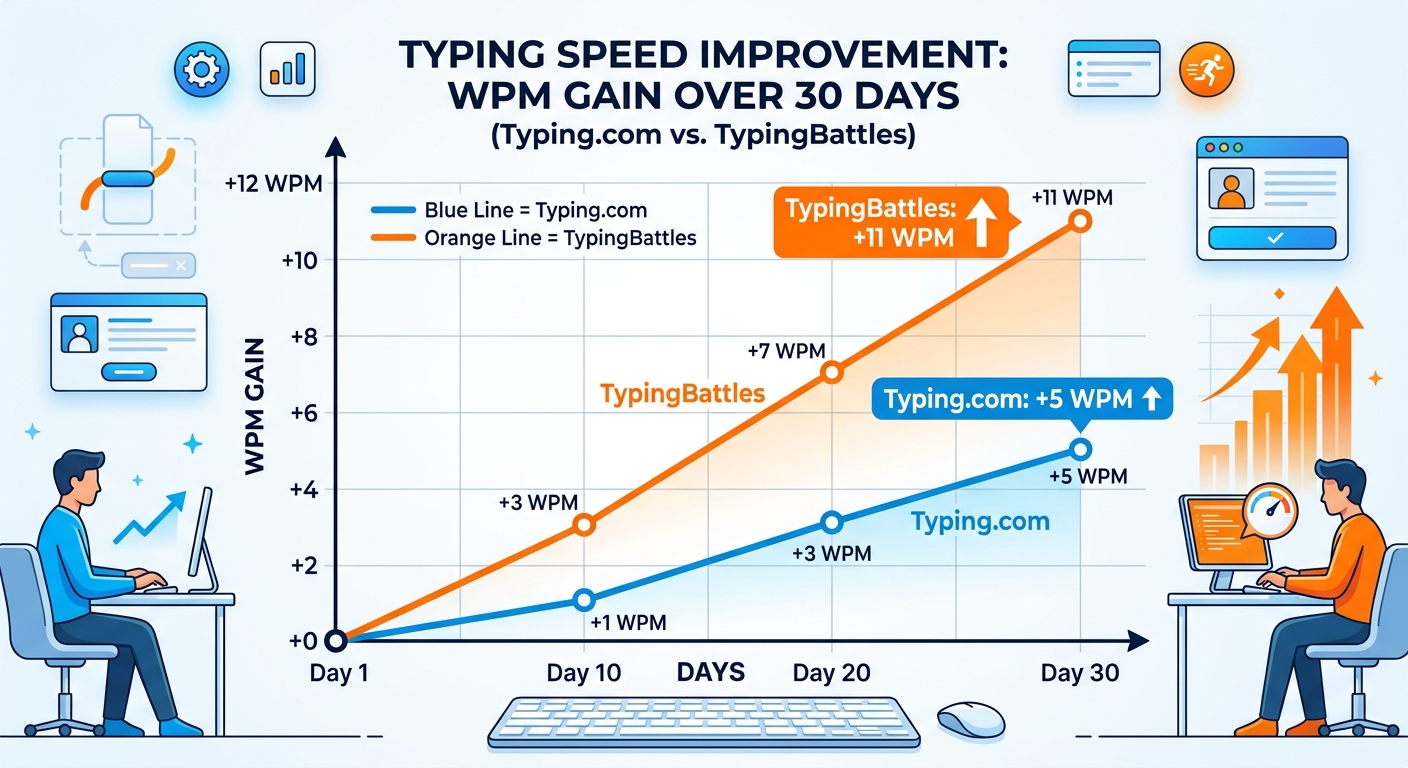
That’s why platforms like TypingBattles work so well. When you join a real-time typing race, you don’t have time to think about finger placement. You just do. And after a few races, what used to feel impossible becomes automatic.
If you’ve been drilling alone for weeks with no progress, stop. Go find a competitive typing platform and race someone at your skill level. You’ll be shocked how fast you improve.
A Real Problem‑Solving Checklist (For When You Get Frustrated)
Save this. Print it. Tape it to your monitor.
- “My fingers feel tangled.” → Go back to home row. Place your fingers slowly. Type “fff jjj fff jjj” ten times.
- “I keep making the same typo.” → Type that specific word pair (e.g., “teh the”) 20 times slowly.
- “My wrist hurts.” → Stop. Check your chair height. Float your wrists. Take a full day off.
- “I’m bored.” → Switch to song lyrics, a typing battle, or a random quote generator. Boredom kills progress.
- “I looked at the keyboard again.” → Cover your hands. No excuses.
- “I’m slower than last week.” → You’re tired or distracted. Take two days off, then come back. Plateaus are normal.
The Truth About “Talent”
One last thing before you go.
You might believe some people are just “naturally good at typing.” They’re not. They just started earlier or practiced smarter.
I’ve seen a 12‑year‑old hit 110 WPM in six months. I’ve seen a 60‑year‑old accountant hit 75 WPM in a year. The only difference was consistency.
You are not broken. You don’t have “slow fingers.” You just haven’t built the neural pathways yet. And those pathways take time – but not as much as you think.
Two months from now, you can either be hunt‑and‑pecking like always, or you can be touch typing at 40 WPM and climbing. The time will pass either way.
The only question is: will you start today?
Key Takeaways
- Most people reach basic touch typing (20–30 WPM, no looking) in 2–4 weeks of daily practice.
- A solid working speed of 40–50 WPM takes about 2–3 months with 15‑20 minutes/day.
- Consistency beats volume – short daily sessions work far better than weekend marathons.
- Correct finger and posture positioning prevents pain and speed ceilings. Pay special attention to pinky usage and floating wrists.
- Your keyboard matters less than you think. Focus on tactile feedback, not price.
- Speed plateaus are normal. Break them by changing text difficulty, filming your hands, or doing sprints.
- Multiplayer typing battles accelerate learning because adrenaline builds muscle memory faster.
- The most important factor is not quitting during the first two weeks.
Recommendations
You’ve read the roadmap. You know how long it takes. You’ve got the posture tips, the keyboard advice, and the solutions for every frustration.
Now the only thing left is to actually start.
Stop hunting and pecking. Put your fingers on the home row. And prove to yourself that you can do this.
→ Join your first typing battle right now →
It’s free. It takes 60 seconds. And you’ll walk away with a real WPM score and a reason to come back tomorrow.
Read Also:
- How To Learn Typing In 3 Days: An Honest Crash Course (No Fairy Tales)
- Typing Agent: The Classroom Typing Tutor That Thinks It's A Spy Movie
- Key Master: Slay Monsters, Turn Off the Lights, and Claim Your Typing Crown
- Touch Type Keyboard Layouts: Which One Actually Works Best for Your Fingers?
- Russian Keyboard Layouts: ЙЦУКЕН, ЯВЕРТЫ, and the Struggle of Typing Cyrillic