Typing.com is a familiar name to you. Perhaps it was given to you in elementary school. Perhaps your child logs into it when they come home. Alternatively, you might've Googled "free typing lessons", and it might have been the first result.
I've been using Typing.com for a few years now. Occasionally as a pupil. At times when a person is simply curious how it compares to other typing platforms.
The dirty secret. Typing.com is a good, organized, lesson-based typing program. Very good to schools and very good to absolute beginners. However, there are some quirks to paying for the free version. And, if you're already used to typing, you may quickly outgrow it.
Let me show you what it has to offer, what it does not have to offer, and who should use it.
What Is Typing.Com?
Typing.com is a free, online typing tutorial for primary and secondary school. Millions of students and teachers use it all over the world.
Typing.com has a structured curriculum, which is unlike minimalist typing tests that simply spit words out at you. You begin on the home row. One key at a time. Lessons, timed tests, games, and certificates!
Teachers can make classes, track student progress and integrate with state standards, which makes it a favorite of teachers. Parents enjoy it because it is free (almost) and it gets their children to continue practicing.
However, if you are an adult who uses a typewriter already, and types at 40 words per minute or more, you may not find the lessons to be redundant. I know I did.
The Core Curriculum: Slow And Steady
Typing.com's main selling point is the structured, grade-based curriculum. It's geared toward novices, particularly children in K-12.
Lessons begin with the home row (A, S, D, F, J, K, L, semicolon). They then gradually add in new keys, one or two, at a time. Each key is repeated to practice. You type words. Then sentences. Then paragraphs.
It also features adaptive, targeted practice for problem keys. If you continue to miss the letter P, it will increase the number of P exercises you get.
Advanced learners have practice options for special keyboards such as 10-key (number pad) and Dvorak, and special content such as medical terminology.
What I liked about this. The lessons are very clear. They are logical. This is for a total beginner who has never typed before, so that he will not be lost.
I got frustrated by the following. The lessons are slow paced. If you already have some typing skills, you will be typing "fff jjj" a lot of time, instead of practicing sentences.
Here's what one Common Sense Education reviewer had to say: "The interface is outdated, and the lessons do get repetitive, making this best for introductory use, not long-term typing.
Teacher Dashboard: The Real Power
For teachers, this is where Typing.com really comes in handy.
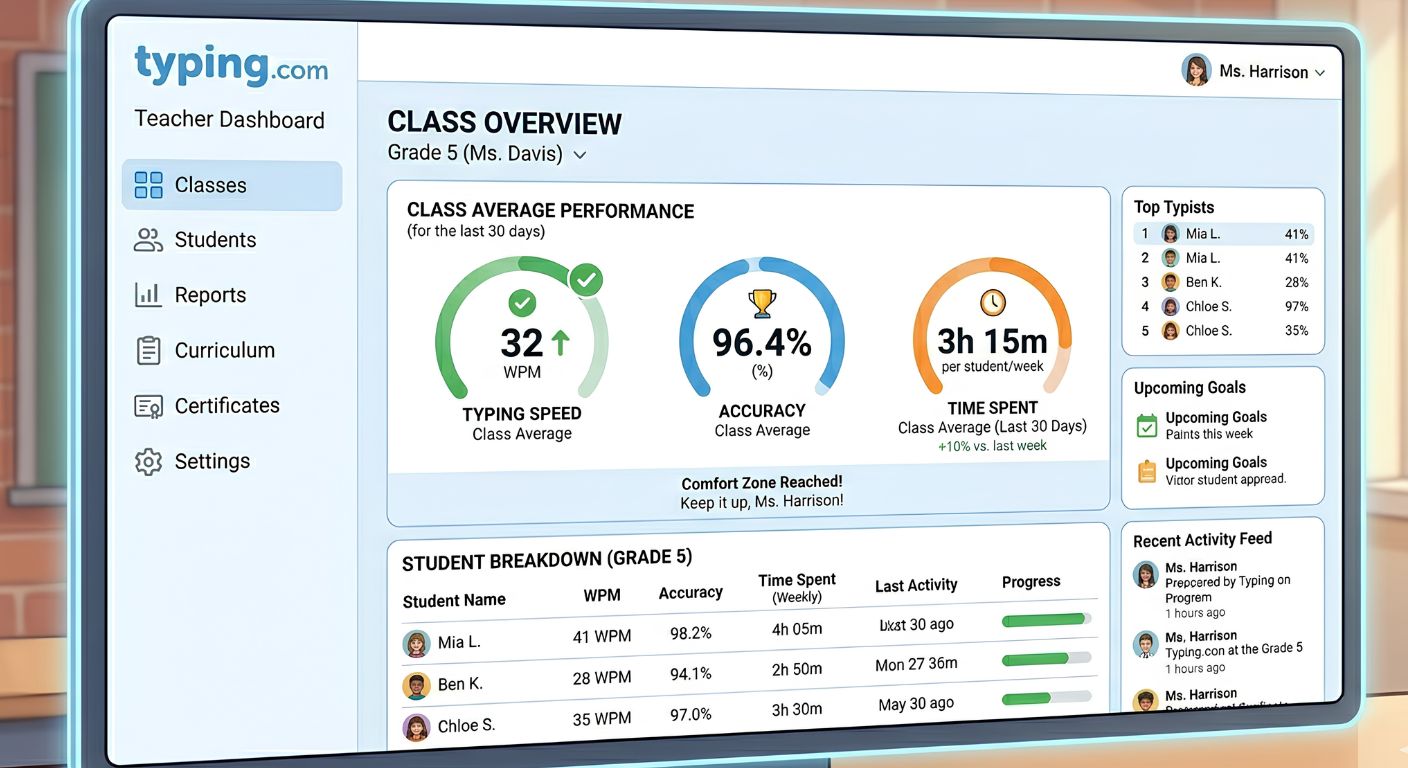
The teacher portal enables you to create as many classes as you like with as many students as you like. You can set specific lessons, timed tests or even make your own lessons with your content.
A couple of new dashboards have been introduced recently to provide you with a more in-depth look. It provides a clear overview of the overall school performance, class performance and even student level progress. Some of the most important metrics are average typing time, speed, accuracy, and usage periods.
Teachers have the ability to produce detailed reports. Weekly typing activity, typing time, average WPM and average accuracy per student is displayed on a Class Scoreboard. Reports on lesson activity, games summary, test results, and improvement over time as well.
Classes can be synced with Google Classroom, Clever, or Class Link. That's the non-manual entry of the roster. Simply plug in and play.
Typing.com provides state and national alignment with products, such as ISTE and Common Core, for district-level administrators.
The teacher dashboard is really well constructed. I can see how the premium version is worthwhile to schools.
Games: Entertainment With A Limited Purpose
There are a number of typing games with Typing.com. They are intended to help make practice more interesting.
There's Keyboard Ninja, where you cut words that flash on the screen. Type a Balloon, pop typer balloons. Type Toss and keyboard jump for younger students.
They are also known for their racing game, Nitro Type, which is a game in which you type words for your car to accelerate. It offers competition with other players online.
The games are fine. They do not come as a turning point in modern history. They aren't as slick as typing games that you'll find somewhere else.
But, if it were in the classroom, they do their jobs. Children need some respite from repetitive drills, and games give children that respite.
A Common Sense Education teacher reviewer commented that a few times the website is “slow to load”. "I noticed that the game would freeze and this may cause a delay when I play this with my students."
There was some lag for me as well. It wasn't always there, but occasionally noticeable and annoying.
Free vs. Paid – The Frustrating Truth
That's where the confusion occurs.
Typing.com is free. However, the free version is accompanied by page banners. They are distracting. They are also random, which means you can't be sure what sort of ad will display.
In addition to the banner ads, the free version also has long ads that will play before some lessons which cannot be skipped. A review by Common Sense Education commented that these videos "have the potential to bore a shorter attention span...and make it a less engaging site.
However, there aren't many unpaid resources available, and ads may be slightly distracting to learning, another reviewer wrote.
The Premium version (paid) removes all ads. It is also packed with unlimited data retention (only free version retains for 70 days), test prep units, creative writing, coding lesson, and allowing lessons to be assigned to students, rather than specific classes.
The school price is very affordable. One Trustpilot reviewer said that they paid for 115 students for under $350 or $3 per student.
If you are a single adult student, the ads are more of an annoyance, but if you are just looking for free structured lessons, then it is OK. The top-end edition is practically a must have for classrooms.
Certificates And Testing
Students may print completion certificates upon completing lessons or timed tests.
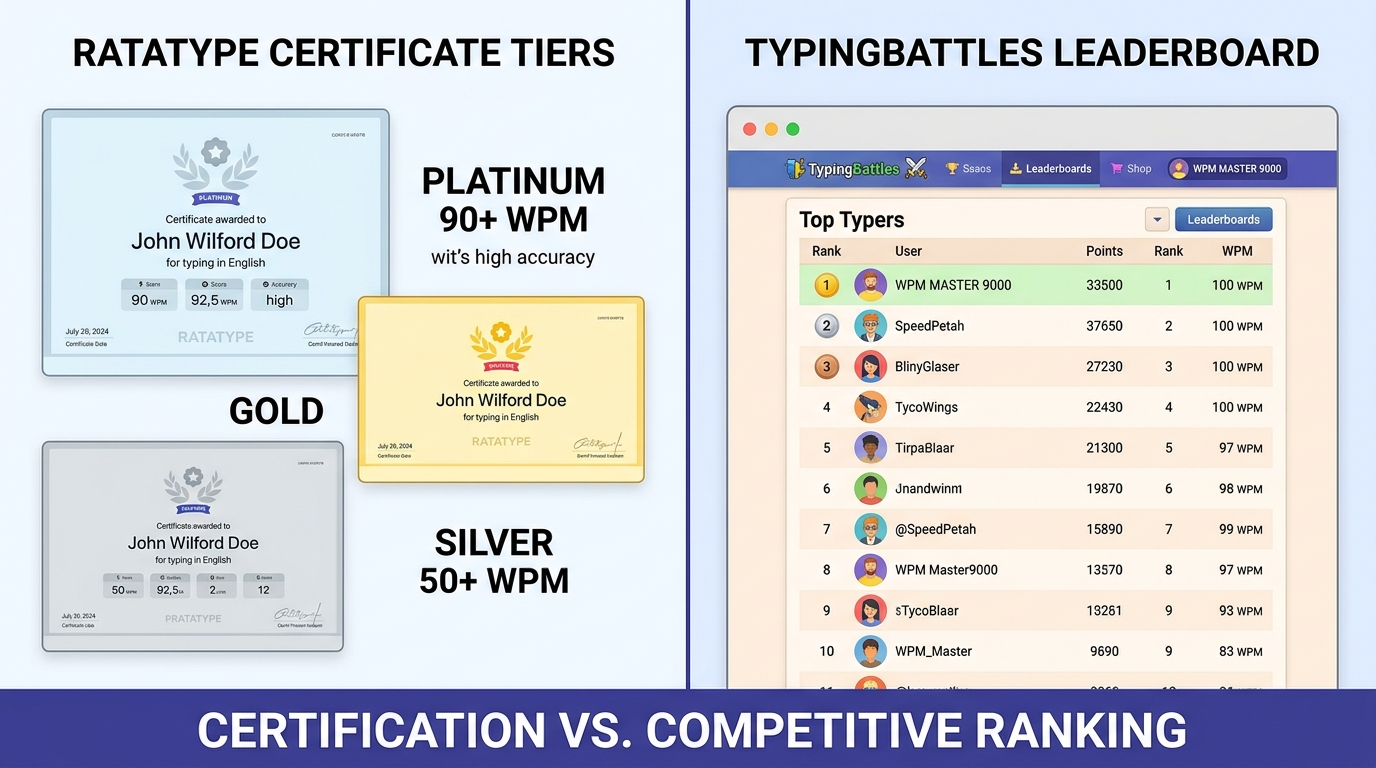
There are timed tests available in typing.com that are of 1 minute, 3 minutes and 5 minutes. Once you have completed a test, you will be issued with a certificate with your WPM and accuracy.
These are good certificates for self or class motivation. But is this of any interest to the employers? Not really. A certificate printed by yourself from a website will not be considered equivalent to a proctored typing test.
If you're looking for official proof that you're a great typist for a job, you need to find a proctored typing test at a temp agency or workforce center.
Typing.com vs. TypingBattles.com
It's the comparison I'm most interested in.
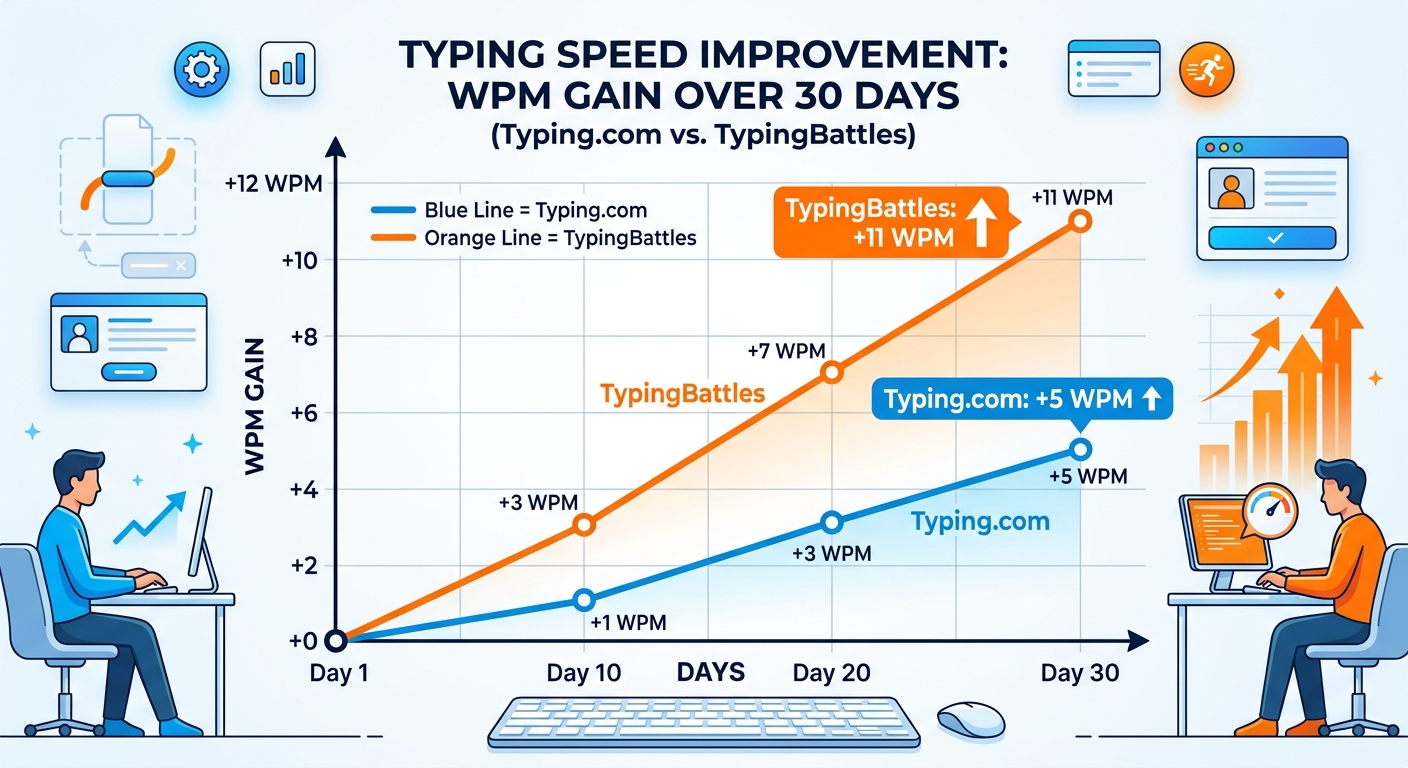
Typing.com is a structured, one‑user, curriculum‑based typing tutor. It helps you to learn how to type. It forms the base of your skills. It's a great resource for students who are starting out and for teachers with a class.
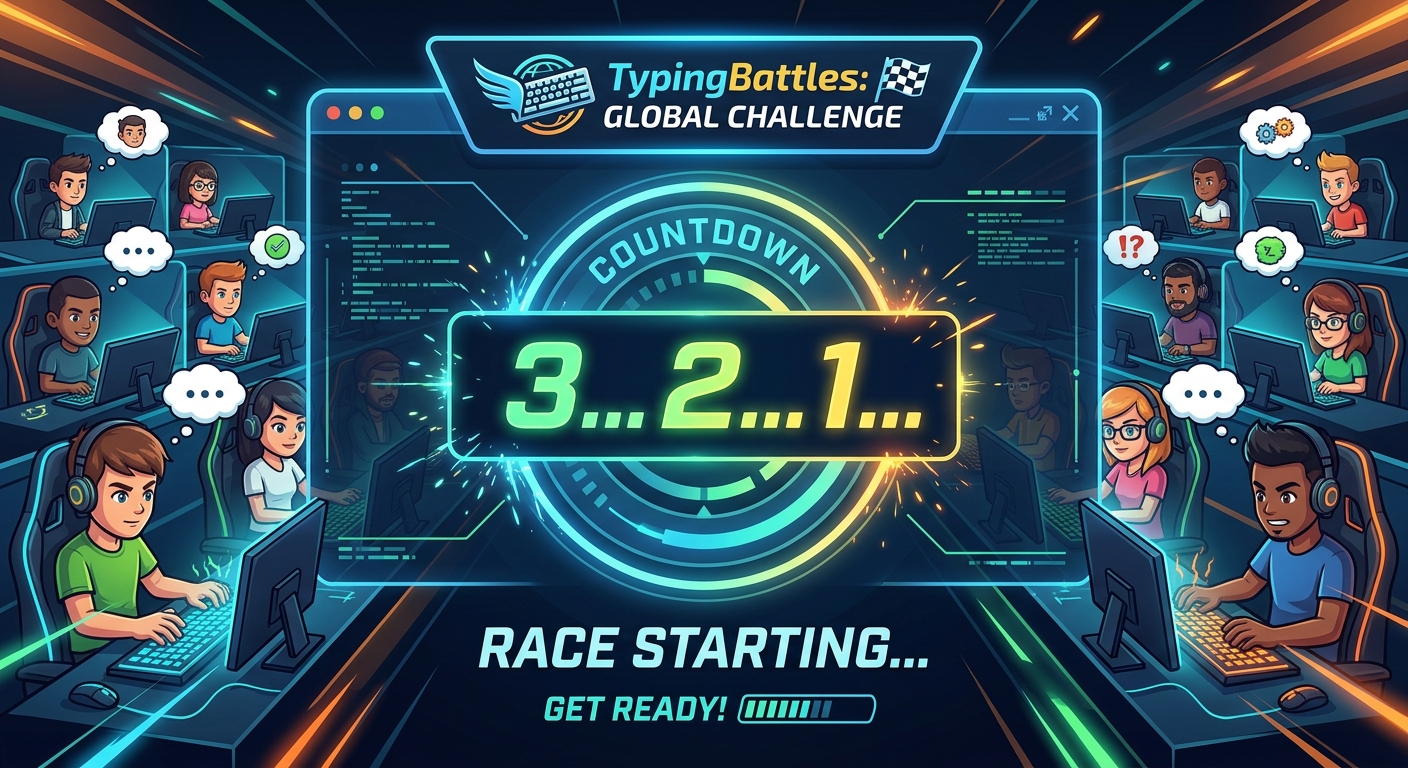
TypingBattles is unstructured, competitive and fast-paced. It doesn't give you instruction on finger placement. Assumes typing skills. It then pits you against another individual in a real race.
One is as if to take driving lessons with a teacher. The other is as if someone is running a street race.
You'll learn correct typing skills from Typing.com. If you listen, it will break your bad habits. It will slowly develop your muscle memory!
In TypingBattles, your typing ability will be put under the microscope. It will reveal to you where you hesitate and makes typos. It will force you to run more rapidly as someone else is attempting to outrun you.
Here are my recommendations. Use Typing.com to learn basic skills. Continue their structured lessons until adults can type without looking at the keyboard at about 30-40 WPM.
Next, try TypingBattles for the competitive challenge. The active races will require you to get rid of thinking and start typing.
Pros And Cons
Let me sum up the dirty truth.
Pros:
- Beginning structured curriculum, free.
- High quality teacher dashboard and detailed reports.
- School aligned with standards (ISTE, Common Core).
- Digital Citizenship and Coding lessons included.
- Supports Google Classroom, Clever and ClassLink.
- Using adaptive practice for problem keys.
- Students can get certificates.
Cons:
- Free version has banner ads and long videos which distract from the content.
- Out of class lesson should never be repetitive if you already know how to type.
- The page's design is out of date and not user-friendly for new typing platforms like Google's Gboard dictation.
- Games can be laggy.
- No actual competition!.
- There are no professional recognition for certificates.
The Bottom Line
What typing.com is supposed to do, it is a good platform. It is a structured, easy to use typing tutor, designed to allow schools to teach typing at scale. The Teacher tools are really amazing.
However, for adults who already know how to type, but just want to become faster, the lessons would be tedious. These banners will bother you. And you will miss the fun of a real competition!
My suggestion: take the course at Typing.com for learning the fundamentals. Then leave. Challenge yourself to TypingBattles with a real opponent in the ring, and put your abilities to the test.
Typing fast during a solo lesson, is another. Making speedy typing when someone is trying to beat you is something else again.
Key Takeaways
- Millions of students and teachers use Typing.com, a structured K‑12 typing curriculum.
- Distracting banner and unskippable video ads are part of the free version.
- In addition to no ads, premium also includes unlimited data retention, coding units and individual student assignments.
- Teacher dashboard provides detailed reports, class management and Google Classroom integration.
- Lessons are good for all the way beginners but repetitive for intermediate typists.
- There are typing games, timed tests, and certificates which can be printed out on the website.
- TypingBattles.com gives competitive speed training that Typing.com doesn't.
- The best way to do it is to get the basics at Typing.com and then race at TypingBattles.
Author Bio
Abid is a competitive typist on TypingBattles (112 WPM peak, 400+ wins). He learned the home row on Typing.com years ago, then got bored of typing "fff jjj" and discovered real racing. He still appreciates what Typing.com does for beginners, but he would rather race a human than stare at another banner ad.
Recommendations
Learned the basics on Typing.com? Good. Now see if you can actually type under pressure.
Start your first race on TypingBattles →
Read Also:
- Typing Test Certificate: Do You Really Need One for Your Resume?
- Alphabet Typing Test: What It Is And The Need Of It For The Beginners
- Which Is The Best Typing Test: 1 Minute, 3 Minute Or 5 Minute Typing Test?
- Typing Nitro Hack vs Eye Gaze Typing: Cheaters Never Win, But Eye Gaze Typing Changes Lives
- Typing Dinosaur vs Typing Bike, Which Game Improves Typing WPM?