Okay, I have to admit something.
When I first heard the name "Typing Agent," I pictured a guy in a trench coat handing out keyboarding tips on a street corner.
Turns out, it's not that.
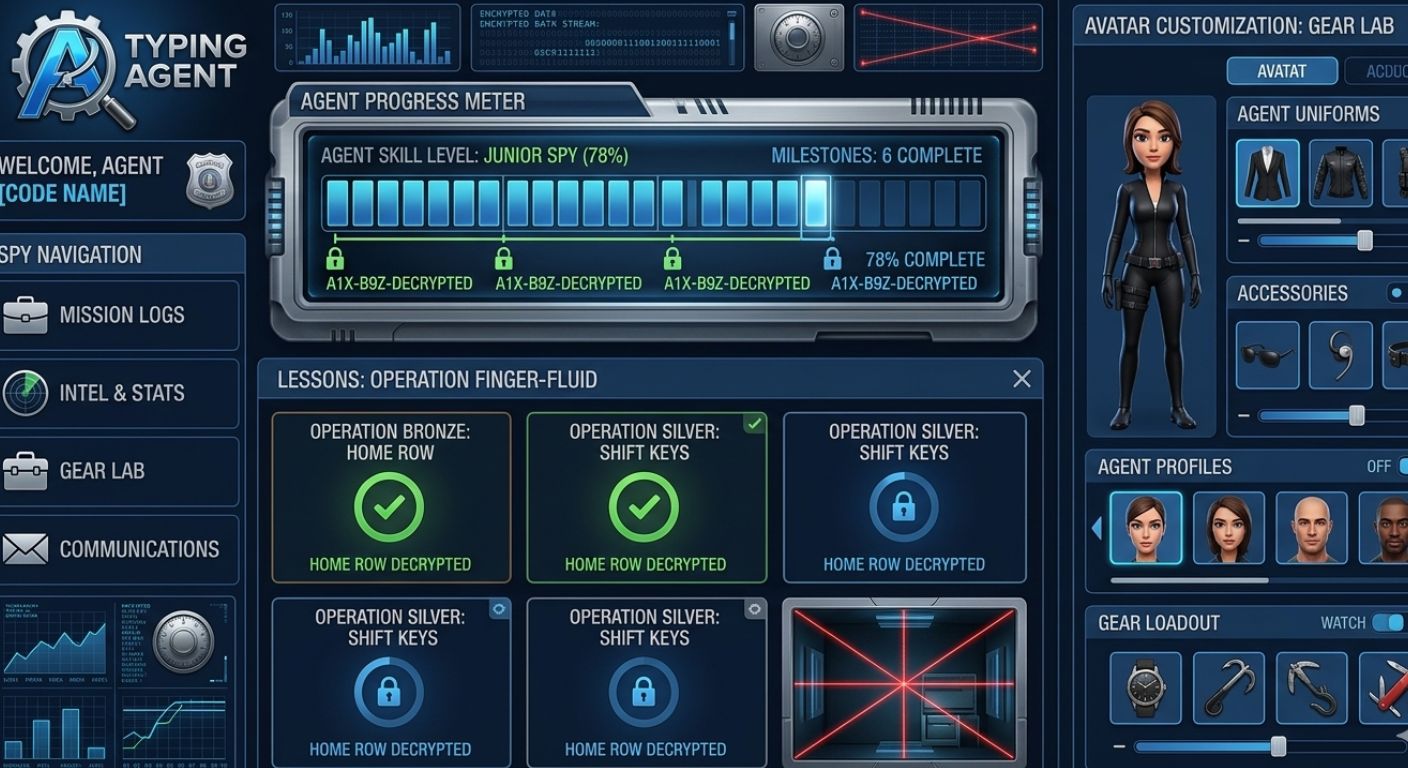
It's actually a web-based typing program built for schools. K-12, mostly. And it's got this whole secret agent theme going on. Think less James Bond, more "your elementary school computer lab tried really hard to be cool."
But here's the thing – I've seen a lot of typing tutors. Some are great. Some are awful. Some are just boring.
Typing Agent? It's actually pretty good at what it does. But it's not for everyone.
Let me walk you through what I found.
So What the Heck Is Typing Agent?
I'll keep this simple.
Typing Agent is a typing curriculum designed for classrooms. Teachers sign up their whole school or district. Students log in. They do lessons. They play games. The software tracks everything.
The whole thing is wrapped in this "secret agent" theme. Students earn GritCoins (yes, that's really what they're called) and XP. They unlock badges. They personalize little avatars.
It's cheesy. But kids actually like it. I showed it to my friend's 9-year-old, and she was into it. So maybe I'm just old.
But here's what surprised me. Typing Agent isn't just typing. It also has:
- Coding lessons (HTML, JavaScript, Python)
- Digital citizenship stuff (online safety, cyberbullying, all that)
- Social-emotional learning content
So it's kind of like a Swiss Army knife for computer lab teachers. One login, lots of stuff.
Who Actually Uses Typing Agent?
This is where most people get confused.
Typing Agent is not for you if you're just some random person who wants to learn typing at home.
I mean, you can use it if your school gives you an account. But you can't just sign up as an individual. That's not how it works.
Typing Agent is built for:
- Teachers who need to assign lessons and track 30 students without losing their mind
- School administrators who want reports on how many kids are hitting their typing goals
- Districts that want one typing program across 20 elementary schools
If you're a parent looking for something for your kid to use at home? Check if their school already has Typing Agent. If not, there are free alternatives that are way easier to jump into.
What Typing Agent Does Well (And I Mean Really Well)
Let me give you the good stuff first. I'm not here to just complain.
The Adaptive Learning Thing Actually Works
Most typing programs give every student the same lesson. Same words. Same order. Same pace.
That's dumb.
Kids who already know the home row get bored. Kids who struggle get left behind.
Typing Agent adapts. If a student keeps messing up the letter 'P', the system gives them more practice with 'P'. If they breeze through a lesson, it jumps ahead.
I tested this by pretending to be a terrible typist (not hard for me on a bad day). The software adjusted. It wasn't perfect, but it was better than most.
The Games Are Surprisingly Fun for a Classroom Tool
Look, I've played a lot of "educational games." Most of them are just drills with a background image.
Typing Agent's games are actually decent.
There's Battleship – the typing version. You type words to target squares on a grid and sink your opponent's ships. It's slow-paced, but it's clever.
There's Penalty Kick – two students type different words at the same time. Whoever finishes faster with perfect accuracy scores a goal.
There's Asteroids – you type the word on an asteroid before it hits your ship. Classic.
Are these going to replace Call of Duty? No. But for a classroom typing program? They're genuinely engaging. Kids will play them without complaining.
The Coding Stuff Is a Nice Bonus
Most typing tutors don't teach code. Typing Agent does.
They have something called Yeti Code for younger kids (grades 2-4). It teaches loops, functions, parameters – all that coding stuff – through a snowy mountain adventure with a yeti.
For older students, there are actual coding challenges where you type real HTML, JavaScript, and Python.
If you're a teacher trying to convince your principal that typing class is actually "STEM education," this is your ammunition.
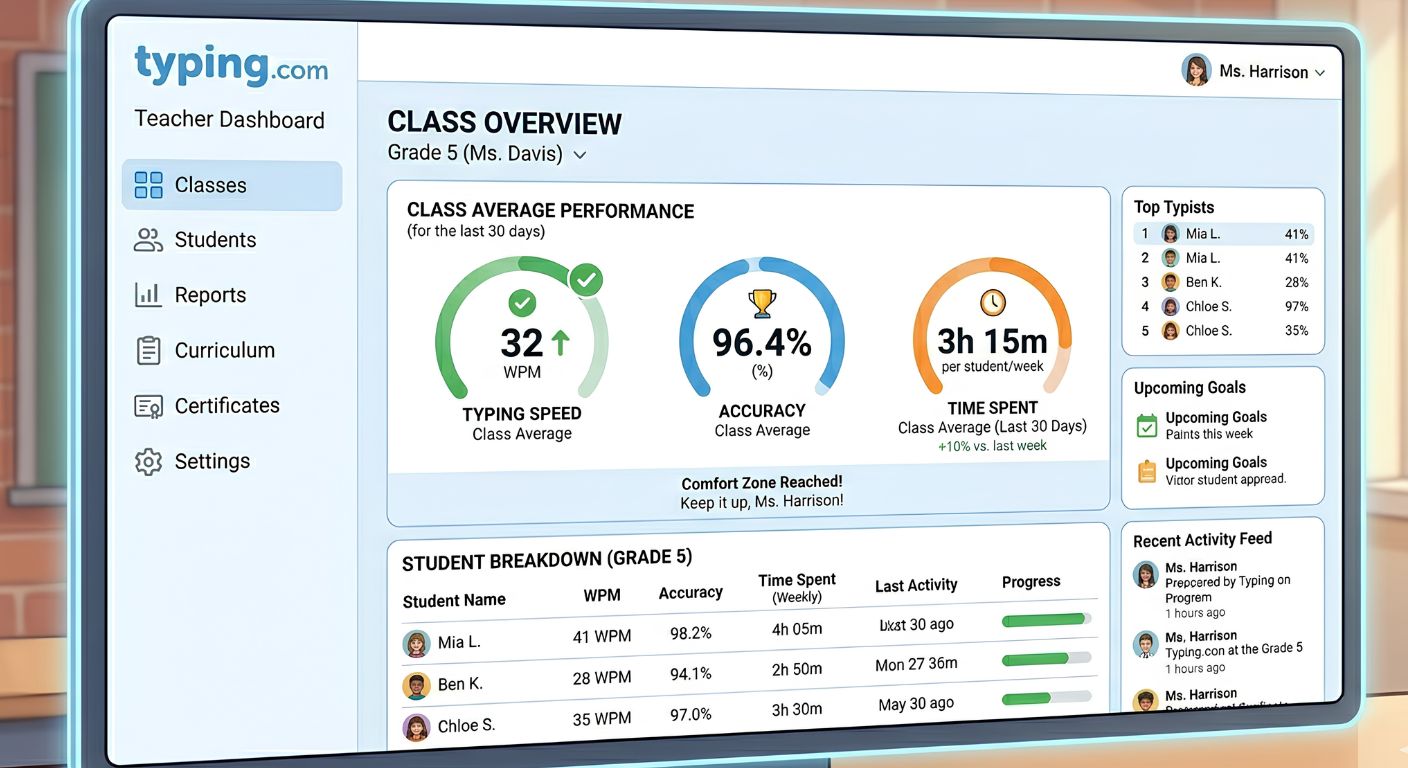
Teachers Get Real-Time Data
This is boring for students, but teachers love it.
Typing Agent shows you exactly who's struggling, who's flying through lessons, and who hasn't logged in for two weeks.
You can see WPM trends, accuracy percentages, and lesson completion at a glance. You don't have to guess. The dashboard just tells you.
Where Typing Agent Falls Short (Be Honest With Me)
I'm not going to pretend this thing is perfect. It's not.
You Can't Just Sign Up as an Individual
This is the biggest problem for most people reading this.
If you're not part of a school or district that uses Typing Agent, you're out of luck. There's no "buy one account for my kid" option on the website.
You have to request a quote. A salesperson calls you. It's a whole thing.
For a busy parent? That's a dealbreaker.
Multiplayer Is Limited to Your School
You can play against other students. But only if they're in your school.
No global leaderboards. No racing someone in Japan at 2am.
There's a robot opponent you can play against if no real humans are online. And the robot is fine. But it's not the same as beating a real person.
If you want real competition – the kind that actually makes you faster – you need a different platform.
The Theme Is… A Lot
Look, I get it. Kids like themes. Secret agents are fun.
But the whole "GritCoins" and "spy HQ" thing gets old fast. For an adult? It's kind of cringey.
If you're a teacher, your older students (middle school, high school) might roll their eyes at this.
Pricing Is a Mystery Box
Nowhere on the Typing Agent website will you find a simple price list.
You have to request a quote. Then a sales rep emails you. Then you have a conversation.
For large districts, it's cheap – like under $1 per student per year. For a single classroom? It's more expensive. But you won't know until you ask.
I hate this model. Just tell me how much it costs.
Typing Agent vs. TypingBattles: Which One Should You Use?
I knew you were going to ask this.
Here's the honest breakdown.
Use Typing Agent if:
- You're a teacher managing a whole classroom
- You need structured lessons and automatic grading
- You want coding and digital citizenship built in
- Your school is paying for it anyway
Use TypingBattles if:
- You're an individual learning on your own
- You want real competition against real people around the world
- You don't want to create an account or talk to a salesperson
- You just want to type fast and see where you rank
Typing Agent is a classroom tool. TypingBattles is a competitive typing platform. They serve different people.
That said, if I were a teacher, I'd probably use both. Typing Agent for the structured lessons during class. TypingBattles as a reward or warm-up activity. The kids would love the real-time races.
How to Get Started With Typing Agent (If You're a Teacher)
If you're a teacher and you want to try Typing Agent, here's what you do.
First, go to their website and request a free trial. They'll give you access for a few weeks.
Second, set up your class. Use Google Classroom or Clever if your school uses those. It'll import your student rosters automatically. Trust me – you do not want to type 30 names manually.
Third, assign the first few lessons. Start with home row. Let students play the games.
Fourth, check the dashboard after a week. See who's struggling. Help those students directly. The rest will figure it out.
Typing Agent has a learning curve for teachers, but it's not terrible. You'll figure it out in an hour.
Is Typing Agent Worth the Money?
I can't give you a simple yes or no because pricing varies so much.
For a large district paying less than a dollar per student? Yes, absolutely worth it. You get a lot for that price.
For a single teacher buying it out of pocket for their classroom? Maybe. It depends on your budget. There are free alternatives that do 80% of what Typing Agent does.
For an individual learner at home? No. Don't even try. Use something else.
What I'd Recommend Instead for Individual Typists
Look, I respect Typing Agent. It's good at what it's built for.
But if you're sitting at home right now, reading this on your laptop, wanting to type faster – you don't need a classroom typing tutor.
You need competition.
You need a timer counting down. You need someone on the other side of the world racing against you. You need that little rush of adrenaline when you're neck and neck at the last sentence.
That's what builds speed.
That's why I use TypingBattles.
No account. No sales calls. No "GritCoins."
Just you, a keyboard, and someone who wants to beat you.
Go take a typing speed test right now. See where you stand. Then join a race.
You'll be surprised how fast you improve.
Key Takeaways
- Typing Agent is a classroom typing tutor for K-12 schools, not an individual tool.
- It includes adaptive learning, coding lessons, digital citizenship, and SEL content – all in one platform.
- Multiplayer games like Battleship and Penalty Kick exist, but only within your school.
- Teachers get real-time data on WPM, accuracy, and completion rates.
- Pricing is not transparent – you have to request a quote.
- For individual learners, TypingBattles offers global real-time competition with no account required.
- Typing Agent is great for classrooms. TypingBattles is great for everyone else.
Recommendations
Here's the deal.
If you're a teacher, Typing Agent is worth a look. Get the free trial. See if your kids like it.
But if you're just some person who wants to type faster – no classroom, no budget meetings, no sales calls – stop reading and start typing.
TypingBattles is free. No account. No theme songs about secret agents. Just you, a keyboard, and someone racing against you in real time.
Click the link. Join a race. See if you can win.
→ Start your first typing battle now
Read Also:
- Key Master: Slay Monsters, Turn Off the Lights, and Claim Your Typing Crown
- Touch Type Keyboard Layouts: Which One Actually Works Best for Your Fingers?
- Russian Keyboard Layouts: ЙЦУКЕН, ЯВЕРТЫ, and the Struggle of Typing Cyrillic
- Dvorak Layout: The Fast-Typing Alternative to Traditional Keyboards – But Brings Pain Before Progress
- Keyboard Switches Changed My Typing Life – But Not How You'd Expect