I'll just share with you one of my experiences of watching someone type without looking at the keyboard.
I had been in high school. A friend of mine was typing up an essay, and her fingers just... danced. She wasn't looking for keys. She wasn't peeking. Throughout the entire duration she kept her eyes fixed on the screen.
I asked her, "How did you do that?" She went ahead and shrugged and said, "I played a game when I was younger."
The game was called Dance Mat Typing.
I know what you're thinking, now. "Dance mat? Like a dance pad? What could be more convenient than for me to step on letters?"
No. Not at all. The name is a bit confusing, in fact. However, when you know what it is, you'll realize why millions of kids (and adults) have employed it to learn how to touch type.
Allow me to take you through all you need to know.
What Is Dance Mat Typing?
Dance Mat Typing is a free online typing game created by the BBC. It's meant for kids between 7-11 years old, but, really? Anyone can use it. It's a game I've passed on to grown ups who haven't ever learned to type correctly and they enjoyed it.
The game is designed to be played in different stages that involve touch typing. You play along with animated characters, learn new keys and practice until you get it correct.
And it's all based around a dance show. These are all "stages" of each level. A "dance move" is defined as each new set of keys. There's a goat called… let you find that out! The characters are extremely funny.
Is there a real Dance Mat, wait!
No. That's the confusion.
The words "dance mat typing keyboard" or "dance mat typing mat" are typically in reference to the game itself or the keyboard layout taught in the game. No mat is used.
Imagine that the "mat" is the keyboard. The "dance" is the pattern of which fingers you put on which keys. In each lesson you're learning a new "move", a new set of keys.
It's a metaphor. A nice catchy one, but nevertheless a metaphor.
What You Will Really Be Able To Do After The Course
The game is used to learn how to touch type. That is, typing without using your hands. No hunting. No pecking. It's just a matter of muscle memory.
You begin on the home row of the keyboard (the middle row of the keyboard). The A, S, D, F, G, H, J, K, L and the semicolon are the home row keys.
You then proceed to create, step-by-step, up to the complete alphabet, punctuation and even capitalization.
The Four Levels
This game is divided into 4 levels with 3 stages at each level. This is a total of 12 stages.
Level 1: The Home Row
- Stage 1: f d s a j k l ; g h
- Stage 2: e i
- Stage 3: r u
Level 2: Higher than the Home Row
- Stage 4: t y
- Stage 5: w o
- Stage 6: q p
Level 3: Below the Home Row
- Stage 7: v m
- Stage 8: b n
- Stage 9: c , (comma)
Level 4: The Final Stretch
- Stage 10: x z ' (apostrophe)
- Stage 11: / . (slash and full stop)
- Stage 12: Shift keys – how to make capital letters
When you're done, you'll know all the keys of the keyboard. Not only the location of the keys, but also how to get them to without looking.
So Why Does This Game Work?
I have seen many typing games! The majority of them are simply paintsheddable drills. Dance Mat Typing isn't.
It's structured. No diving into the deep end. You learn some keys, practice them, and learn some more! Learning anything is the same, it is a step-by-step process.
It's fun. Colourful pictures are used in the animations. Weird and memorable characters. The music is quite liked. It's not schoolwork! It feels like play.
It is designed to inculcate good habits. In the first lesson, you will be taught the correct fingers for use. All your fingers are used, not just your forefingers. The difference between hunting and pecking and true touch typing!
It's free. No accounts. No subscriptions. No hidden costs. You and a keyboard only.
Education Experts Say
Educational technology consultant Marion Reilly described it as follows, "If you can get children to use two hands, holding them over the home keys, typing will be doubled; and if you can get children to avoid pecking at the individual keys..."
The game does just that. It makes it necessary to start using the home row as soon as you begin. There is no shortcutting until you have learned it!
Who's Dance Mat Typing For?
The game is aimed at a child age group of 7-11 years. But honestly? It's for everyone.
This is a great place to begin for parents wanting to buy typing tools for their children. Safe, educational and really fun!
Don't feel conscious about trying typing if you are an adult and didn't learn to type correctly. There's no judging the game. It just teaches.
This game has been enjoyed by some of my friends who are in their 30s. They mocked the goat, complained about the home row and emerged on the other side typing quicker than ever before.
Here Are Some Tips On Getting The Most Out Of It
Here are some things that are effective.
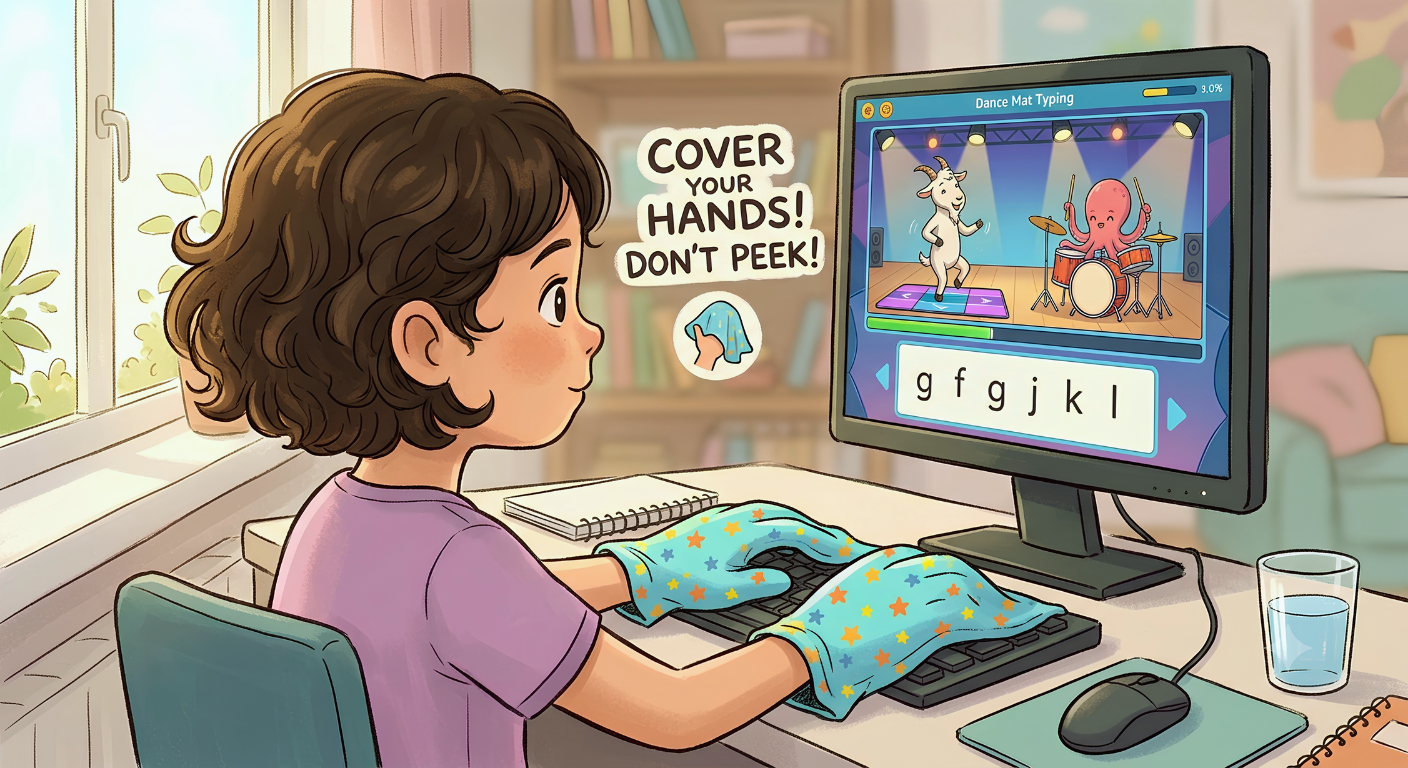
Do not use your hands to look at. This is the most difficult but also the most crucial part. Take a look at the keys; you're not developing muscle memory. You're simply practicing to hunt and peck.
Use your own hand-cloth to cover your hands when necessary. In fact, the BBC says that you should use a cloth or a small box to cover your hands when typing! This is extreme but it does work. If the keys are not visible, it is necessary to remember their position.
Do small chunks, frequently. It's important to "little and often" instead of all at once," Dr. Emily Williams said. This is because sleep helps you to build your muscle memory!" A 10-minute daily exercise is more beneficial than 1 hour of exercise every week.
Sit up straight. It's posture that matters. Sit facing the chair with foot gently on floor. Wrists must be supported with arms in a comfortable position.
Use headphones. In every stage there are songs and dances in the game. Headphones will enhance the experience, making it more immersive and enjoyable.
Dance Mat Typing vs. Other Typing Games
There are lots of games to help you practice typing. What is the specialness of Dance Mat Typing?
First, it's complete. The basic typing games are all most typing games have. Dance Mat Typing will get you from the home row to capitalization and punctuation. You are a functional touch typist when you're done!
Second, it's trusted. Made by the BBC, so it's good quality and reliable. It has been suggested by teachers from year one through to year six for years.
Thirdly, it is fun and not distracting. The characters and animation are engaging but not obtrusive of learning. Emphasis is always on the keys.
The Bottom Line
Among the best free touch typing tools are Dance Mat Typing. It is organized, interesting and works. It's well worth your time if you're a parent teaching your children, or an adult who's just itching to learn the correct way to type.
This game will get you familiar with the proper use of your keyboard. It makes typing a dance, and your fingers get the rhythm of the keys.
And the best part? It's completely free. No account, no fees, no charge for subscription. Only one person, one keyboard and a very enthusiastic animated goat.
So go ahead. Give it a try. Your fingers will thank you for it!
Key Takeaways
- Dance Mat Typing is a free BBC typing game designed for children aged 7-11, but works for any age.
- It teaches touch typing using the standard QWERTY keyboard—starting with the home row and building to all letters, punctuation, and capitalization.
- The game has four levels with three stages each, totaling twelve progressive lessons.
- There's no physical mat—the "dance mat" is the keyboard itself, and the "dance" is the rhythm of your fingers.
- Key benefits: builds muscle memory, improves typing speed, reinforces spelling, and develops confidence.
- Best practices: don't look at your hands, cover them if needed, sit up straight, practice little and often.
Author Bio
Abid is a competitive typist on TypingBattles (105 WPM, 400+ wins). He learned touch typing the hard way—hours of boring drills. Then he discovered typing games and realized learning could actually be fun. He still plays Dance Mat Typing sometimes, just for the nostalgia. His favourite stage? Level 4, Stage 12. Shift keys changed everything.
Recommendations
Finished Dance Mat Typing? Great. Now it's time to test your speed against real people.
Typing games teach you the basics. TypingBattles pushes you to the next level. Race against opponents from around the world and see how fast you really are.
People Also Read
- Switching From QWERTY: What Colemak DH Typing Practice Feels Like?
- Average Typing Speed In Words Per Minute: How Fast Do People Really Type?
- Speed, Accuracy And Practice - Typing Test Paragraph Examples
- Best Keyboards for Typing: Mechanical, Fast & Comfortable Options Explained
- How Long Does It Take To Learn Touch Typing Or Blind Typing? (And Why Most People Give Up Too Soon)