Typing practice can be boring. Let's be honest. Sitting there typing "the quick brown fox" over and over. Who actually enjoys that?
But what if typing practice felt more like playing a game? What if you could type words to make ghosts disappear?
That's exactly what Ghost Typing does. It takes the spookiness of Halloween and mixes it with typing practice. The result? A game that kids actually want to play.
I'll tell you all about it.
What Is Ghost Typing?
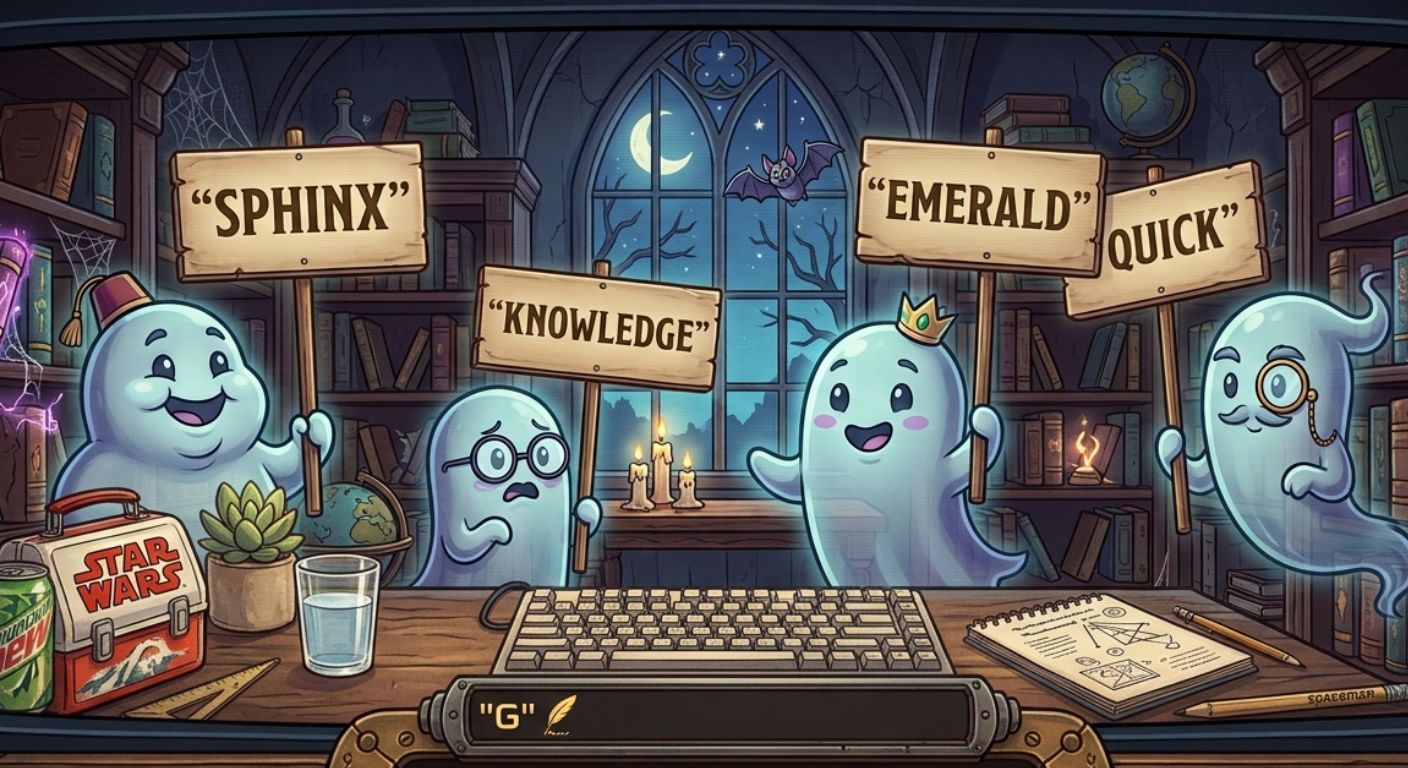
Ghost Typing is a free online typing game with a Halloween theme. Ghosts float around the screen holding signs with words on them. Your job? Type the word to make the ghost vanish.
It's simple. It's spooky. It's weirdly satisfying.
The game is designed for kids who are learning to type. But honestly? Anyone can enjoy it. There's something therapeutic about typing words and watching ghosts disappear into thin air.
How the Ghost Typing Game Works
The game mechanics are straightforward. Ghosts appear on the screen. Each ghost holds a sign with a word on it. You type the word, and the ghost vanishes with a little animation.
Here's what makes it interesting:
Words appear on the ghost's sign. You type the word to "destroy" the ghost. Some words are simple. Others are trickier.
The ghosts keep coming. After you defeat one ghost, another appears. The pace increases. You have to type faster to keep up.
Your score tracks your speed. The game measures how many ghosts you defeat in a given time. This helps you see improvement.
Simple controls. You only need a keyboard. No mouse needed. Just type the words that appear.
Different Versions of Ghost Typing
There are a few different versions of Ghost Typing online. Each one is slightly different.
The classic version. Ghosts float around with words. Type the word to make them vanish. Simple and clean.
Ghost Typing Junior. A simpler version for younger kids. Slower ghosts. Easier words. Perfect for beginners.
Halloween themed versions. Some sites release special Halloween versions with extra spooky graphics. Pumpkins, haunted houses, and more.
Why Kids Love Ghost Typing
I've seen kids play Ghost Typing. They get hooked. Here's why.
It's spooky but not scary. The ghosts are cartoonish and cute. They're not frightening. Kids feel brave defeating them.
It's satisfying. Watching the ghost disappear after typing the word feels rewarding. It's instant gratification.
It feels like a game. Kids don't feel like they're practicing typing. They feel like they're playing a Halloween game.
The theme is fun. Halloween is exciting. Ghosts, pumpkins, spooky vibes. The theme keeps kids engaged.
Benefits of Ghost Typing for Kids
Ghost Typing isn't just fun. It actually teaches valuable skills.
Typing practice without boredom. Kids practice typing without feeling like they're studying. They just want to defeat more ghosts.
Improves word recognition. Seeing words and typing them reinforces reading skills. Kids learn to recognize common words.
Builds muscle memory. Repeated typing of words builds muscle memory. Fingers learn where keys are without looking.
Speed building. As the ghosts get faster, kids have to type faster. This builds typing speed naturally.
Confidence building. Defeating ghosts feels empowering. Kids feel accomplished. They want to keep playing.
Halloween Typing Games: Why They Work
Halloween is a great theme for educational games. Here's why.
Kids love spooky themes. Halloween is exciting. Ghosts, zombies, vampires. Kids are naturally drawn to these themes.
The stakes feel higher. Defeating a ghost feels more urgent than typing a sentence. The game creates tension.
Seasonal relevance. Around Halloween, kids are in the mood for spooky things. The theme resonates.
Visual appeal. Halloween games are colorful and visually engaging. They capture attention.
Tips for Getting the Most Out of Ghost Typing
Here's what actually helps.
Practice daily. Even five minutes a day makes a difference. Consistency is key.
Start simple. Beginners should start with easier words. Ghost Typing Junior is a good option.
Don't look at your hands. This is important. Encourage kids to keep their eyes on the screen. Trust their fingers.
Make it a challenge. Set goals. "Let's beat 20 ghosts in one minute!" Challenges keep kids engaged.
Use it as a warm-up. Before doing other typing exercises, play Ghost Typing. It wakes up the fingers.
Who Is Ghost Typing For?
Ghost Typing works for a wide range of ages.
Ages 5-7. Young kids can handle simple words. Ghost Typing Junior is great for this age.
Ages 8-11. This is the sweet spot. Kids are learning to type. The game makes practice fun.
Teens and adults. Don't underestimate it. Even older players enjoy the challenge. It's a fun break from normal typing practice.
Teachers. Ghost Typing is perfect for classroom warm-ups. It's engaging and educational.
Ghost Typing vs. Other Spooky Typing Games
Ghost Typing isn't the only Halloween typing game. But it's one of the best.
Zombie Typing. Similar concept but with zombies instead of ghosts. More intense. Faster-paced. Better for older kids.
Typing of the Dead. Classic zombie typing game. Too intense for young kids. Ghost Typing is milder.
Spooky Typing. Some games use the "spooky typing" keyword. They're similar to Ghost Typing. Usually simpler.
Ghost Typing is the best for younger kids. It's spooky enough to be fun but not scary enough to be frightening.
The Bottom Line
Ghost Typing is a fantastic way to get kids excited about typing practice. The Halloween theme makes it engaging. The mechanics make it educational.
Kids don't realize they're learning. They're too busy defeating ghosts. But they're building typing skills the whole time.
And the best part? It's completely free. No accounts, no subscriptions, no hidden costs. Just a keyboard and a willingness to banish some ghosts.
So go ahead. Let your kids play. They'll have fun and learn something. It's a win-win.
Key Takeaways
- Ghost Typing is a free online typing game where you type words to make ghosts vanish.
- The game has a Halloween theme that makes it engaging for kids.
- How it works: Ghosts appear with words. Type the word to defeat the ghost.
- Benefits: Improves typing speed, word recognition, and muscle memory.
- Different versions: Classic, Junior (easier), and Halloween-themed versions.
- Best for ages 5-11, but anyone can enjoy it.
- Completely free and runs in your browser.
Author Bio
Abid is a competitive typist on TypingBattles (105 WPM, 400+ wins). He discovered Ghost Typing while looking for fun ways to practice typing. He recommends it to parents who want their kids to enjoy typing practice. His favorite part? Watching the ghosts disappear. It never gets old.
Recommendations
Defeated all the ghosts? Great. Now test your typing speed against real people.
Ghost Typing builds skills. TypingBattles pushes you further. Race opponents worldwide and see how fast you really are.